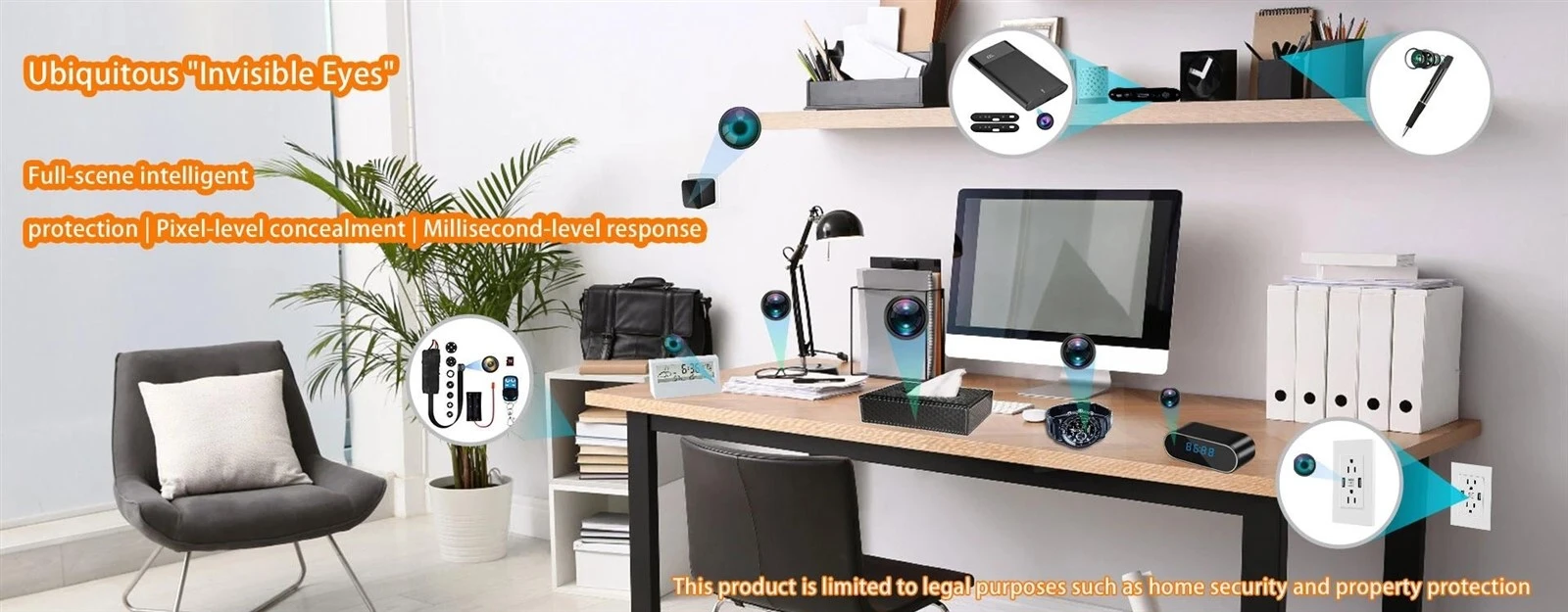
A hidden camera for live streaming must do more than record video or connect to Wi-Fi. It has to encode video continuously, maintain a stable network connection, deliver the stream to the required viewing platform, and operate reliably inside a compact form factor. A camera that works well for local microSD recording may perform poorly when asked to stream for hours.
For most buyers, the right choice comes down to six areas: streaming compatibility, network connection, image quality, video settings, power, and deployment environment. Buyers comparing different WiFi spy camera designs should evaluate the entire streaming path rather than focusing only on resolution or product appearance.

First, Decide What "Live Streaming" Means for Your Application
"Live streaming" can describe several different functions, and they are not interchangeable.
Many WiFi hidden cameras provide live view, which means the user opens the manufacturer's mobile app and watches the camera remotely. The camera usually connects through a proprietary P2P or cloud platform.
That may be enough for home monitoring, security checks, or simple remote viewing. If this is your main requirement, it helps to understand the difference between app access, Wi-Fi connection, cellular access, and remote monitoring before choosing the hardware. This hidden camera remote viewing setup guide explains those connection methods in more detail.
Professional live streaming requirements are different. A business may need to send video to:
- an NVR or VMS;
- PC monitoring software;
- an encoder such as OBS;
- a private streaming server;
- a web platform;
- a custom surveillance system.
A camera that only works inside its own mobile app may not provide a video stream that third-party software can access. This is one of the most common reasons a WiFi camera turns out to be unsuitable for a live-streaming project.
The first specification to confirm is therefore not simply "Wi-Fi supported."
Where does the live video need to go, and can the camera provide a compatible stream to that destination?
If you are still evaluating the basic architecture, understanding how WiFi hidden cameras work can help separate network connectivity from actual streaming capability.

Check the Streaming Protocol and Platform Compatibility
A streaming protocol defines how live video is delivered between the camera, server, recorder, software, or viewer.
Different protocols serve different parts of the video workflow.
RTSP for NVR, VMS, and Third-Party Integration
RTSP, or Real-Time Streaming Protocol, is widely used by IP cameras to provide a video stream to NVRs, VMS platforms, PC software, and other video systems.
For buyers who need a hidden camera with RTSP, this is usually more useful than simply having remote viewing through an app.
RTSP is especially relevant when you want to:
- add the camera to an NVR;
- connect it to surveillance software;
- ingest the stream into an encoder;
- integrate the camera into an existing video system.
RTSP is not the only way to stream video. A camera without RTSP may still support live video through another protocol, SDK, API, private cloud, or proprietary server platform.
RTMP, HLS, and WebRTC Serve Different Purposes
Other protocols may be more appropriate depending on where the video ultimately needs to go.
|
Protocol |
Typical Role |
Common Use |
|
RTSP |
Camera video output |
NVR, VMS, PC monitoring, encoder input |
|
RTMP |
Push stream to server |
Streaming server or CDN workflow |
|
HLS |
Web/mobile playback |
Browser and mobile distribution |
|
WebRTC |
Low-latency communication |
Interactive browser-based video |
There is no universal "best" protocol.
If the destination is an NVR, RTSP may be important. If a camera or encoder must push a stream to a streaming server, RTMP may be more relevant. Browser-based interactive systems may use WebRTC.
The buying rule is straightforward:
Choose the destination first, then confirm that the camera can provide a stream that the destination accepts.
For commercial and OEM projects, also ask whether the manufacturer can provide SDK/API access, firmware modification, App customization, P2P integration, or private-server support.
Choose the Right Network: 2.4GHz Wi-Fi, 5GHz Wi-Fi, or 4G
A live stream is only as reliable as the network carrying it.
A 2.4GHz Wi-Fi camera generally provides better range and wall penetration, which makes it suitable for homes, offices, and larger indoor spaces. The drawback is that the 2.4GHz band can be crowded with routers and other wireless devices.
A 5GHz Wi-Fi camera can provide higher available throughput and less congestion in suitable environments. Its effective range is normally shorter, and walls attenuate the signal more quickly.
Wi-Fi performance is also affected by router placement, antenna design, obstacles, interference, and installation distance. For a deeper explanation, see these factors that affect WiFi camera range.
A 4G hidden camera uses a cellular network instead of depending on the local Wi-Fi infrastructure. It can be useful for remote sites, temporary installations, mobile applications, or places without dependable broadband.
|
Connection |
Main Strength |
Main Limitation |
Best Fit |
|
2.4GHz Wi-Fi |
Longer range |
More interference |
General indoor monitoring |
|
5GHz Wi-Fi |
Higher throughput |
Shorter range |
Dense Wi-Fi environments |
|
4G/LTE |
Independent of local Wi-Fi |
Higher power and data cost |
Remote or mobile deployment |
|
Ethernet |
High stability |
Requires cabling |
Fixed professional installation |
If you are choosing between cellular and wireless LAN connectivity, this WiFi vs 4G hidden camera comparison covers the practical differences in greater depth.
For live video, stable throughput matters more than peak wireless speed. A camera that repeatedly disconnects will perform poorly even if its theoretical Wi-Fi specification looks impressive.

Balance Resolution, Sensor Quality, Low-Light Performance, and Field of View
Image quality is not determined by resolution alone.
A good hidden camera for live streaming should balance resolution with sensor quality, lens design, lighting, bandwidth, and the amount of detail the application actually requires.
1080P vs. 4K: How Much Resolution Do You Need?
For many installations, 1080P is a practical starting point.
It provides sufficient detail for general monitoring while keeping bandwidth, processing load, and storage requirements manageable.
4K can be useful when:
- subjects are farther from the camera;
- digital zoom is important;
- more image detail is required;
the network has enough upload bandwidth.
Typical reference ranges may look like this:
|
Resolution |
Typical Streaming Bitrate Range |
|
720p |
1–2 Mbps |
|
1080p |
2–4 Mbps |
|
2K / 1440p |
4–6 Mbps |
|
4K |
8 Mbps or more |
These are starting references, not fixed requirements. Actual bitrate changes with FPS, codec, scene complexity, low-light noise, and encoder settings.
Allcam products also illustrate why form factor and resolution need to be considered together. A 4K WiFi router hidden camera, for example, represents a very different installation format from a module or wall-outlet camera, even when the headline resolution is similar.
Sensor Quality Matters as Much as Pixel Count
The image sensor converts light into the image data processed by the camera.
A higher pixel count does not automatically produce better video.
Hidden cameras often work through small apertures and compact optical systems. Less light reaches the sensor, making sensitivity, pixel performance, dynamic range, and image processing especially important.
This is why buyers should understand how camera sensor size affects low-light performance instead of comparing cameras only by "1080P" or "4K" labels.
A well-designed 1080P camera may produce more usable live video than a poorly optimized 4K model.
Low-Light and Night Vision
Low-light performance becomes important when streaming continues at night or in dim indoor environments.
Two common approaches are:
Low-lux imaging: the sensor produces usable images from limited visible light.
Infrared night vision: IR LEDs illuminate the scene for the sensor.
Infrared systems may use different wavelengths, including common 850nm and 940nm implementations. Low-light image quality also affects streaming efficiency because heavy image noise is harder to compress.
Cleaner low-light video can therefore improve both visible image quality and bandwidth efficiency.
Field of View: Coverage vs. Detail
Field of view, or FOV, describes how much of the scene the camera lens captures.
Wide-angle lenses cover more space but can introduce distortion and reduce the number of useful pixels placed on a specific subject.
A narrower lens covers less area but can provide better detail on a doorway, workstation, counter, or other defined zone.
Choose FOV according to the required coverage rather than automatically selecting the widest available lens.
Check Frame Rate, Bitrate, GOP, and Video Codec Settings
For professional live streaming, the ability to configure the video stream can be as important as maximum resolution.
Frame Rate
Frame rate is the number of video frames captured every second.
Static monitoring may work well at relatively low frame rates. Scenes with people moving through the frame generally look more natural at around 25 or 30 fps.
Increasing frame rate also increases bandwidth and processing requirements.
Bitrate
Bitrate describes how much video data is transmitted each second.
Higher bitrate usually preserves more detail, but it consumes more network capacity.
Two common control methods are:
CBR, Constant Bitrate: attempts to maintain a relatively stable data rate.
VBR, Variable Bitrate: adjusts data usage according to scene complexity.
A static office scene may require less data than a scene containing constant movement, foliage, changing light, or heavy image noise.
The goal is not the highest possible bitrate. The goal is enough bitrate to preserve useful detail without exceeding the available upload bandwidth.
GOP and Keyframe Interval
A keyframe, or I-frame, contains a complete video image.
A GOP, or Group of Pictures, defines how frames are structured between these full reference frames. The keyframe interval can influence recovery after network disruption, compression efficiency, latency, and system compatibility.
If the camera is intended for professional integration, adjustable GOP and keyframe settings are useful.
H.264 vs. H.265
H.264 and H.265 are video compression standards.
|
Codec |
Main Advantage |
Main Consideration |
|
H.264 |
Broad compatibility |
Higher bandwidth at comparable quality |
|
H.265 |
Better compression efficiency |
Receiving platform must support it |
H.264 remains useful when compatibility is the main priority. H.265 can reduce data usage when both the camera and receiving platform support it correctly.
For a more detailed technical comparison, see H.264 vs H.265 for security cameras.
Always verify codec support at both ends of the stream.
Plan for Continuous Power and Streaming Reliability
Live streaming consumes more power than standby operation or simple local recording because the camera keeps the sensor, encoder, processor, and wireless transmitter active.
This makes power design a major selection factor.
Battery vs. Continuous Power
Battery-powered models are useful for temporary or portable applications. They are less suitable for uninterrupted 24/7 streaming unless the operating schedule is carefully controlled.
For fixed installations, AC or USB continuous power is usually more reliable.
The difference is important enough that buyers should compare battery-powered vs plug-in hidden cameras based on the intended deployment rather than treating one power type as universally better.
When comparing specifications, ask for:
continuous live-streaming runtime
rather than standby time or recording-only battery life.
What Happens When the Network Drops?
A network connection can fail while the camera itself remains operational.
Local recording is therefore valuable as a backup.
If the device can continue writing video to microSD during a temporary Wi-Fi interruption, footage does not have to disappear simply because the live connection failed. Depending on the system, NVR or cloud recording may provide additional redundancy.
Also check whether the camera automatically reconnects when the network returns.
Continuous Streaming vs. Motion-Triggered Streaming
Not every project requires a permanent live feed.
Motion-triggered streaming or recording can reduce:
- battery consumption;
- 4G data usage;
- cloud traffic;
- storage requirements.
Some systems also support pre-buffer recording, where the camera keeps several seconds of video before a motion event so that the start of the incident is retained.
Continuous power is normally preferable for true 24/7 streaming. Battery and cellular systems often benefit more from event-based operation.
Choose a Form Factor That Fits the Installation Environment
Hidden cameras are available in many physical designs, including clock cameras, USB charger cameras, outlet cameras, smoke-detector cameras, power-bank cameras, and compact camera modules.
The best form factor is the one that supports the technical requirements of the installation.
A plug-in product has a natural advantage when long-duration streaming is required because it already has access to continuous power. For example, a 4K/1080P wall outlet hidden camera represents a fixed powered form factor, while a battery-powered mini camera prioritizes flexible placement.
For embedded or customized hardware projects, a 4K/1080P WiFi hidden camera module offers a different approach because the camera platform can be integrated into a larger product structure.
When choosing the physical design, consider:
- power availability;
- lens position;
- field of view;
- Wi-Fi antenna position;
- operating temperature;
- internal PCB space;
- long-term heat dissipation.
- The housing should support reliable operation rather than compromise it.
Hidden cameras should only be used for lawful security, monitoring, or authorized recording. Privacy, video surveillance, and audio-recording requirements vary by jurisdiction.
Hidden Camera for Live Streaming: Final Buying Checklist

Before purchasing a live streaming hidden camera, confirm the entire streaming path rather than comparing only headline specifications.
Use this checklist:
Where will the live video be viewed?
App, NVR, VMS, PC software, streaming server, or custom platform?
Which streaming protocol is required?
RTSP, RTMP, proprietary P2P, WebRTC, or another integration method?
Can third-party software access the video stream?
App-only access may not be enough for professional integration.
Which network is available?
2.4GHz Wi-Fi, 5GHz Wi-Fi, 4G/LTE, or wired Ethernet?
Is 1080P sufficient?
Move to 2K or 4K only when the application genuinely requires additional detail.
What sensor, lens, and low-light solution does the camera use?
These can matter as much as resolution.
Can frame rate, bitrate, GOP, and codec be configured?
Locked stream settings can limit compatibility and performance.
What is the continuous streaming runtime?
Do not substitute standby time for real streaming operation.
Does the camera continue recording if the network fails?
Local microSD recording can provide a useful backup.
Does the form factor support the installation?
Check power, FOV, antenna placement, and long-term thermal performance.
A good hidden camera for live streaming is not defined by one specification. The sensor, encoder, streaming protocol, network connection, power system, firmware, and software platform must work together as one system.
For OEM, private-label, or commercial projects, Allcam develops Mini Camera and Hidden Camera products with hardware, firmware, App, network, and server-level customization capabilities. Buyers looking for a hidden camera manufacturer can contact Allcam to discuss streaming architecture, Wi-Fi or 4G configuration, product form factor, firmware requirements, and OEM/ODM development for a specific market.