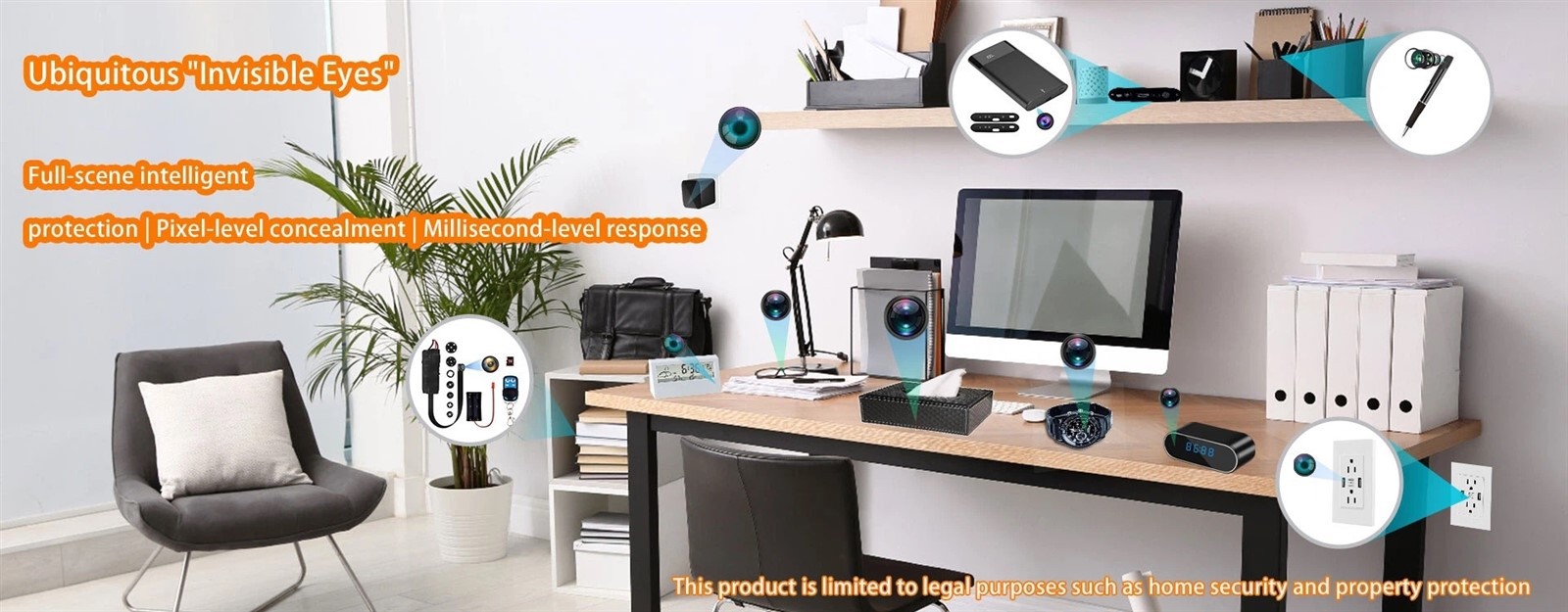
Yes, hidden cameras can make noise under certain conditions. But a well-designed hidden camera should be virtually silent during normal operation.
A slight click during night vision switching, minor audio hiss in recorded footage, or faint electronic sound in a completely quiet room may happen in some models. Continuous buzzing, high-pitched whining, beeping, or rattling is different. That usually means the product has a power, PCB, component, housing, firmware, or assembly issue.
For a hidden camera, noise is not a small comfort problem.
It affects concealment.
A device can have a small lens, clean video, and stable WiFi connection, but if it produces a noticeable buzzing sound in a quiet room, it has already failed one of the basic requirements of a discreet surveillance product.
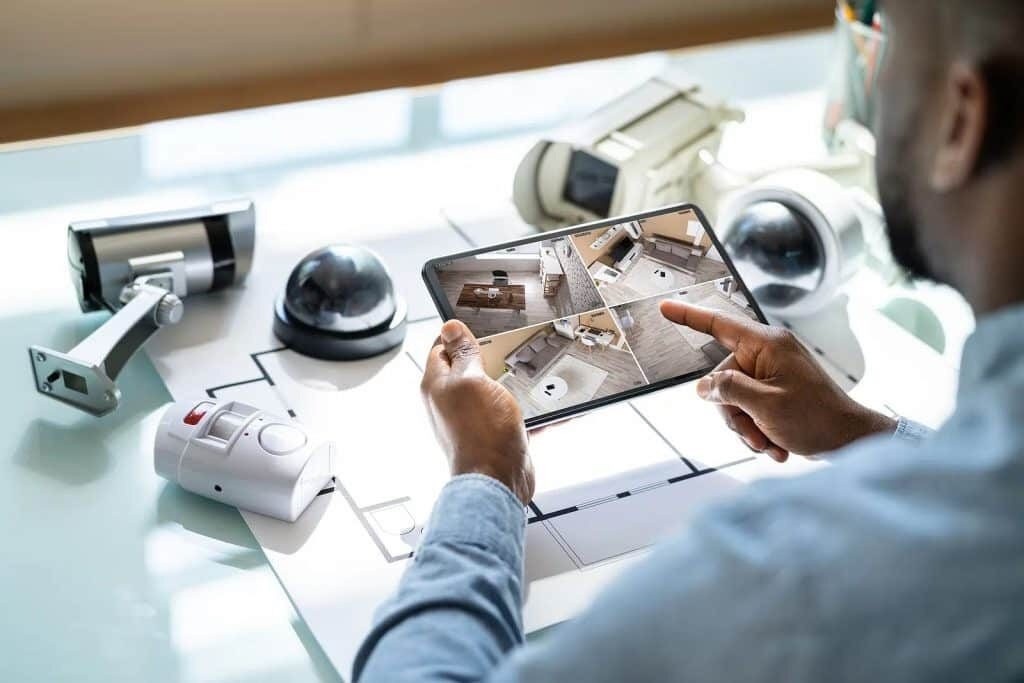
Do Hidden Cameras Normally Make Noise?
A hidden camera is a compact surveillance device designed to record video while staying visually discreet. In product terms, "hidden" does not only refer to the appearance. It also refers to how little the device draws attention during use.
That includes sound.
A good hidden camera does not need to be mathematically silent. No electronic device is truly "zero noise" under laboratory-level testing. The practical standard is simpler: people nearby should not notice the camera by sound in a normal indoor environment.
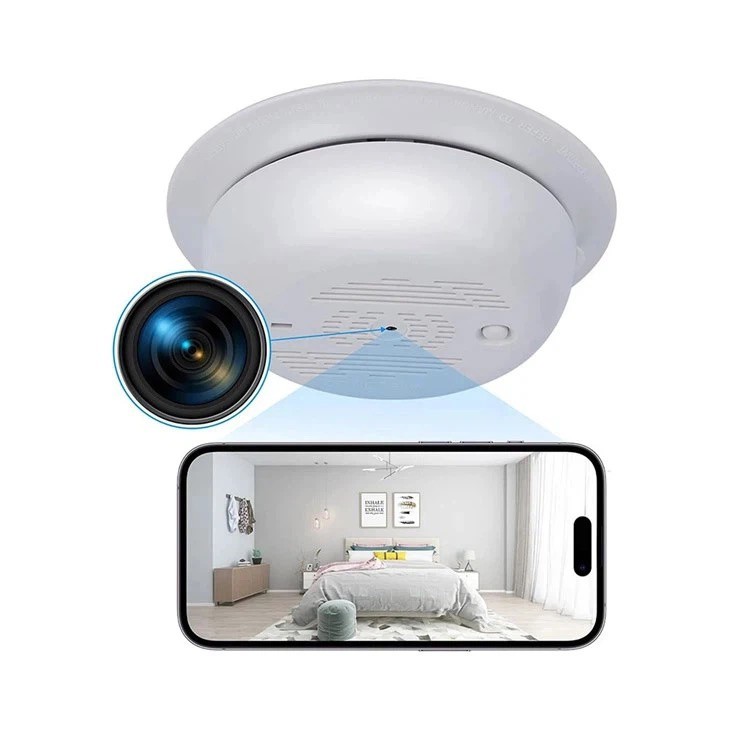
For example, a smoke detector camera installed on a ceiling should not create a clear hum when the room is quiet. A clock hidden camera should not produce a repeated beep after power-on. A pen camera should not make a mechanical rattle when placed on a desk.
Some sounds are acceptable in limited situations. A camera with an IR-cut filter may produce a small click when switching between day mode and night vision mode. A camera with audio recording may capture a little background hiss if the microphone gain is set high.
But a hidden camera should not continuously remind people that it is working.
A hidden camera noise problem should also be separated into three different cases:
|
Noise Type |
What It Means |
Typical Example |
|
Physical device noise |
The camera body itself makes sound |
Buzzing, clicking, rattling, beeping |
|
Recorded audio noise |
Noise appears in the video file |
Hiss, static, background hum |
|
Detection interference noise |
A phone or RF detector picks up interference |
Crackling or buzzing during scanning |
These are not the same problem. They require different diagnosis.
Common Types of Noise Hidden Cameras May Produce
Different sounds usually point to different causes. Before trying to fix the problem, identify what kind of noise is actually present.
Buzzing or Humming Sound
A continuous buzzing or humming sound is usually not normal for a hidden camera.
This type of noise often comes from the power adapter, voltage regulation circuit, inductors, poor filtering, or housing resonance. In small hidden cameras, the internal space is tight. If the power design is weak or internal parts are not fixed well, a small electronic vibration can become audible.
For discreet monitoring, this is one of the worst noise types because it does not stop.
High-Pitched Whining Sound
A high-pitched whining sound is often linked to electronic components, especially in low-cost devices. It may come from coil whine, unstable power conversion, poor capacitor selection, or a compact PCB layout with weak noise control.
In a warehouse or retail store, this sound may be masked by background noise. In a bedroom, office, meeting room, or hotel-style indoor space, it becomes much more obvious.
If a sample produces this sound in a quiet room, do not ignore it.
Clicking Sound During Night Vision Switching
A single click during night vision switching can be normal in some camera designs.
Many surveillance cameras use an IR-cut filter. This small mechanical part moves when the camera switches between visible light mode and infrared night vision mode. That movement can create a short click.
The key question is frequency.
One click when the lighting changes is acceptable. Repeated clicking every few seconds usually means the camera is struggling with unstable light conditions, poor switching logic, or a mechanical issue inside the IR-cut structure.
Beeping, Voice Prompt, or Speaker Sound
Beeping is usually not a natural hardware noise. It is often caused by firmware settings, a built-in buzzer, voice prompt, pairing alert, or speaker function.
For standard consumer cameras, this may be acceptable. For hidden cameras, it is a problem.
A hidden camera should allow users or OEM buyers to disable startup sounds, pairing sounds, voice prompts, and warning beeps. In many B2B projects, these functions should be removed from the firmware by default.
Noise in Recorded Audio
Noise in recorded audio is a different issue.
If the video file contains hiss, static, or background hum, the camera body may not be making any audible sound at all. The problem may come from microphone sensitivity, high audio gain, low-quality microphone components, electromagnetic interference, or weak audio processing.
This matters for buyers who need both video and audio functions. A camera can be physically silent but still produce poor recorded audio.
Why Do Hidden Cameras Make Noise?
Hidden cameras make noise because they combine several electronic, optical, audio, and structural systems in a very small space. The smaller the device, the less room there is for power isolation, heat control, wiring separation, and mechanical cushioning.
That is why noise control is partly a design issue and partly a manufacturing issue.
Power Circuit and Adapter Noise
Power is one of the most common sources of hidden camera noise.
A weak power adapter, unstable voltage input, poor filtering, or low-quality power management circuit can create buzzing or high-frequency sound. Plug-in cameras are more exposed to this problem because the external power adapter becomes part of the working system.
Battery-powered hidden cameras may run quieter in some cases because they avoid noisy external adapters. But battery power does not automatically mean silence. The internal power regulation still needs to be designed properly.
For OEM projects, the power module should be tested with the intended adapter, cable length, and operating mode. A sample that sounds quiet with one adapter may buzz with another.
PCB Layout and Electromagnetic Interference
A hidden camera PCB often carries several sensitive sections: image sensor, WiFi module, power circuit, microphone line, memory storage, and sometimes infrared control.
If these sections are crowded without proper layout, interference can occur.
This may not always become audible from the camera body. Sometimes it appears as recorded audio noise. Sometimes it causes unstable wireless transmission. In RF testing or phone-call scanning, it may show up as crackling or buzzing interference.
Good PCB layout separates noisy power areas from audio and signal areas. It also controls grounding, shielding, and component placement.
This is not something a user can fix after purchase.
Mechanical Parts and IR-Cut Filter Movement
The more moving parts a camera has, the higher the chance of mechanical noise.
PTZ motors, autofocus systems, zoom mechanisms, and IR-cut filters can all create sound. Most hidden cameras are fixed-lens products because fixed structures are smaller, quieter, and easier to disguise.
For low-noise hidden camera design, simpler mechanical structure is usually better.
If night vision is required, the IR-cut structure should be tested for switching sound, durability, and repeated operation. A small click may be acceptable. A loud or unstable mechanical sound is not.
Housing Resonance and Loose Components
Housing design is often underestimated.
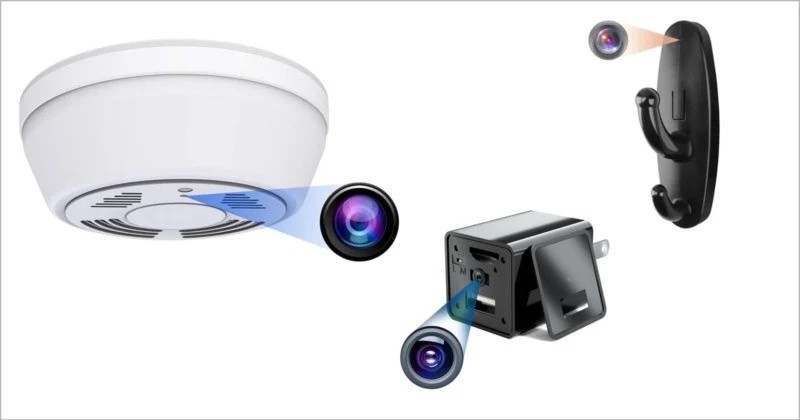
A camera module may be quiet by itself, but once it is installed inside a plastic clock, smoke detector shell, charger housing, or decorative object, the housing can amplify vibration. Thin plastic walls, hollow spaces, loose brackets, and poor assembly tolerances can turn a tiny vibration into a clear rattle or hum.
This is common in low-cost disguised cameras.
For hidden camera manufacturing, the housing is not just a visual shell. It is part of the acoustic structure.
Microphone Gain and Audio Processing
When users complain about "camera noise," they may actually mean audio noise in the recording.
High microphone gain can make a quiet room sound noisy. Poor microphone placement can pick up internal electronic interference. A badly designed microphone opening can create wind-like noise or muffled sound.
For audio-enabled hidden cameras, microphone design must be handled carefully. The microphone location, PCB routing, hole structure, gain setting, and noise reduction algorithm all affect the final recording quality.
How to Control or Reduce Hidden Camera Noise
Noise control starts with diagnosis. Do not treat every sound the same way.
A physical buzz from the device body is different from recorded audio hiss. A one-time night vision click is different from continuous high-frequency whining. A phone detecting interference is different from a camera making real sound.
What Users Can Check First
Users can solve some noise problems without opening the device.
Start with the power supply. Use the original adapter or a properly matched adapter. A cheap replacement adapter can introduce buzzing even if the camera itself is fine.
Then test the camera in a quiet room. Many faint noises are masked during the day but become obvious at night. Place the camera on a stable surface and avoid metal shelves, glass panels, hollow furniture, or thin plastic boxes that may amplify vibration.
Check the settings. Disable startup beeps, voice prompts, button sounds, and unnecessary speaker alerts. If the camera records audio, reduce microphone gain when possible.
A short checklist helps:
- Test the camera in a quiet room.
- Use the intended power adapter.
- Let the device run for at least 30 minutes.
- Check whether noise increases after heating.
- Switch night vision on and off.
- Record audio and listen for hiss or static.
- Check whether alerts and indicator lights can be disabled.
If the sound comes from internal circuitry, loose structure, or component quality, user-side adjustment will not solve it.
What Manufacturers Should Control in Product Design
Manufacturers need to control noise before the product reaches customers.
Low-noise hidden camera design should include stable power management, proper PCB layout, EMI control, reliable inductors and capacitors, solid internal fixing, and housing anti-resonance design.
Firmware also matters. Startup sounds, voice prompts, pairing beeps, and indicator lights should be removable or configurable, especially for OEM and ODM projects.
For audio models, the microphone should not be treated as an afterthought. Microphone gain, pickup hole position, circuit separation, and noise reduction settings all affect whether the final video sounds clean.
Factory testing should include more than image clarity.
A low-noise hidden camera should be checked during power-on, long operation, night vision switching, WiFi transmission, recording, and final assembly inspection.
Which Hidden Cameras Are More Likely to Make Noise?
Not all hidden cameras carry the same noise risk. Product type and design choices make a real difference.
|
Camera Type |
Noise Risk |
Main Reason |
|
Fixed-lens pinhole camera |
Low |
Few moving parts |
|
Clock hidden camera |
Medium |
Hollow housing may amplify vibration |
|
Smoke detector camera |
Medium |
Ceiling placement and housing structure matter |
|
WiFi hidden camera |
Medium |
Power, heat, and EMI control affect noise |
|
PTZ or motorized camera |
High |
Motor movement creates mechanical sound |
|
Camera with speaker or voice prompt |
High |
Designed to produce sound unless disabled |
|
Very low-cost no-name camera |
High |
Weak power, poor assembly, unstable firmware |
Cameras with moving parts are more likely to make sound. This includes PTZ cameras, autofocus cameras, zoom cameras, and models with mechanical switching structures.
Low-cost WiFi hidden cameras also deserve attention. WiFi transmission itself should not create obvious audible noise. When a WiFi hidden camera makes noise, the real cause is usually power design, PCB layout, heat, EMI control, or low-quality components.
Very small camera modules can also be risky if the design is poor. Miniaturization increases the difficulty of heat control, internal fixing, power stability, and signal isolation.
Smaller is not always quieter.
What to Check Before Buying a Low-Noise Hidden Camera
For B2B buyers, noise should be tested before bulk ordering. Do not judge a hidden camera only by video resolution, app function, battery life, or appearance.
A 1080p or 4K label does not prove that the product is discreet in real use.
Sample Testing Checklist
Test the sample in a quiet room. Do not rely only on testing in a noisy office, exhibition hall, or factory floor.
Check these points:
- Does the camera beep during startup?
- Does it produce buzzing after power-on?
- Does the noise change after 30 minutes of operation?
- Is there a click during night vision switching?
- Is the click occasional or repeated?
- Does the recorded audio contain obvious hiss or static?
- Can the LED indicator be disabled?
- Can voice prompts and buzzers be removed?
- Does the housing rattle when lightly moved?
- Do different samples behave the same way?
For disguised cameras, also test the final assembled product, not only the bare camera module. A quiet module can become noisy inside a poorly designed housing.
Questions to Ask Your Supplier
Before placing an OEM or wholesale order, ask direct questions:
- Can the startup sound be disabled?
- Does the camera use a mechanical IR-cut filter?
- What power solution is used?
- Has the PCB layout been tested for EMI?
- Can the housing be customized to reduce resonance?
- Can microphone gain be adjusted?
- Are aging tests performed before shipment?
- Is low-noise operation checked during QC?
- Can buzzers, speakers, or voice prompts be removed for OEM projects?
A serious supplier should be able to answer these questions clearly. If the answer is only "the camera is silent" without testing details, ask for samples and verify them yourself.
Conclusion
A hidden camera can make noise, but a properly designed hidden camera should be practically silent in normal use. Slight clicking during night vision switching or minor audio hiss in recordings may occur in some models. Continuous buzzing, high-pitched whining, rattling, beeping, or repeated clicking usually points to a design, component, power, firmware, or assembly problem.
Noise control is part of hidden camera quality. It depends on power design, PCB layout, component selection, housing structure, firmware settings, microphone design, and factory testing.
For brands, distributors, and project buyers, Allcam supports OEM/ODM hidden camera development with low-noise design considerations from camera module selection to housing structure, firmware settings, and production testing. Contact us if you need a low-noise hidden camera solution for your market or project.
FAQ
Do all hidden cameras make noise?
No. High-quality hidden cameras should be virtually silent during normal operation. Some models may produce slight clicking during night vision switching or minor hiss in recorded audio, but clear continuous noise should not be treated as normal.
Why does my hidden camera make a buzzing sound?
A buzzing sound often comes from the power adapter, voltage regulation circuit, coil whine, PCB interference, housing resonance, or loose internal parts. If the sound is continuous and easy to hear in a quiet room, the device should be checked.
Is a clicking sound normal in a hidden camera?
A single click during night vision switching can be normal if the camera uses an IR-cut filter. Repeated clicking is not ideal. It may mean unstable lighting, poor switching logic, or a mechanical issue.
Can WiFi hidden cameras make noise?
WiFi transmission itself should not create obvious audible noise. If a WiFi hidden camera makes sound, the cause is usually power design, PCB layout, heat, EMI control, or low-quality components.
Is recorded audio noise the same as camera body noise?
No. Recorded audio noise means the video file contains hiss, static, or hum. Camera body noise means people can hear the device itself. Audio noise usually relates to microphone quality, gain settings, environment, or electromagnetic interference.
Can you detect a hidden camera by sound?
Sometimes. In a very quiet room, a poorly designed hidden camera may produce faint buzzing or clicking. But sound alone is not reliable because many normal electronic devices can make similar noises. Use physical inspection, lens reflection checks, RF detection, and network checks when unauthorized surveillance is suspected.
How can I make a hidden camera quieter?
Use a stable power adapter, place the device on a solid surface, avoid hollow or resonant materials, disable beeps and voice prompts, adjust microphone gain, and update firmware. If the noise comes from internal components or housing design, the product may need replacement.
Are battery-powered hidden cameras quieter?
Sometimes. Battery-powered models avoid some adapter-related noise, but they can still have internal power regulation, PCB, microphone, or housing issues. Battery power does not automatically mean low-noise design.
Is audio recording legal on hidden cameras?
It depends on local law and the use case. Many regions have stricter rules for audio recording than video recording. Hidden cameras should only be used in legal, authorized, and privacy-compliant environments, especially when audio is involved.