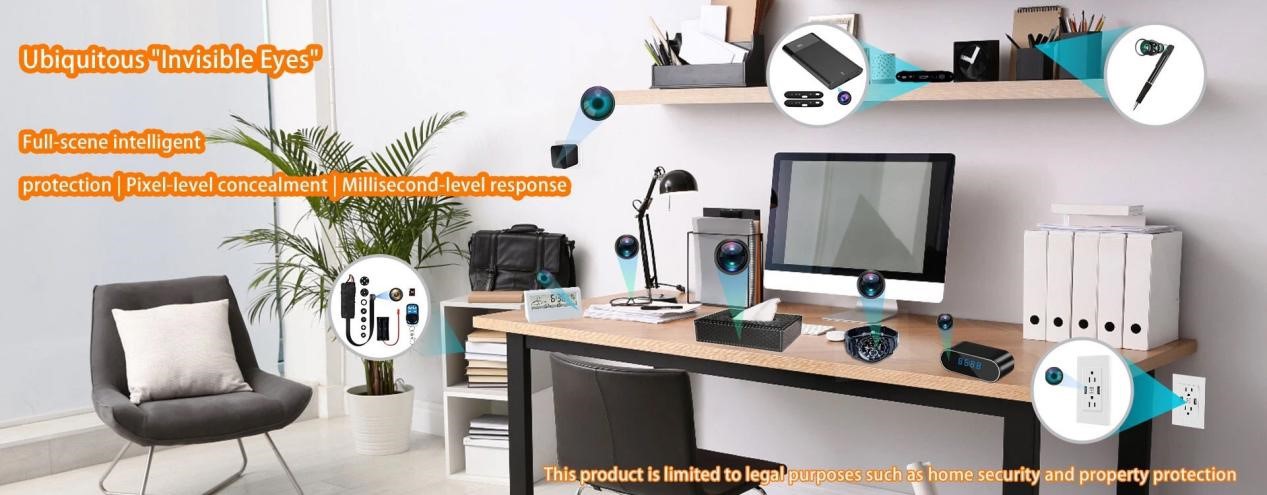
When selecting an SD card for your security camera, the choice of storage media plays a crucial role in the reliability and efficiency of your surveillance system. SD cards serve as the primary storage solution for most security cameras, but not all SD cards are created equal. To ensure your system runs smoothly and your recordings are secure, it's important to choose the right SD card that matches your camera's needs. In this guide, we'll walk you through the key factors to consider when choosing the best SD card for your security camera.

Understanding SD Cards in Security Systems
What is an SD Card?
An SD card (Secure Digital card) is a type of memory card used for storing data in a variety of devices, including cameras, smartphones, and security systems. For security cameras, SD cards are essential for storing recorded video footage, enabling users to keep track of activity around the clock.
There are three primary types of SD cards:
- Standard SD Cards: Up to 2GB in storage capacity.
- SDHC (Secure Digital High Capacity): Ranges from 2GB to 32GB.
- SDXC (Secure Digital Extended Capacity): Offers storage from 32GB to 2TB.
For security cameras, SDHC and SDXC cards are typically the preferred choices, as they offer higher storage capacity and faster data transfer speeds compared to standard SD cards.
Key Factors to Consider When Choosing an SD Card
When selecting an SD card for your security camera, there are several crucial factors that directly influence its performance and lifespan. These include capacity, speed, durability, and brand reputation.
1. Storage Capacity
The capacity of your SD card determines how much video footage it can store before overwriting old files. Choosing the right capacity depends on the resolution of your video, the number of cameras in your system, and how long you need to retain video footage.
- 1080p Recording: A 32GB or 64GB SD card should be sufficient for storing several days' worth of footage, especially for motion-detection-based recording.
- 4K Recording: For higher resolution cameras, a 128GB or larger SD card is recommended. This ensures enough storage space to handle the large file sizes associated with 4K video.
Here's a quick guide for different resolutions:
|
Resolution |
Recommended Capacity |
|
1080p (HD) |
32GB - 64GB |
|
4K |
128GB and above |
2. Speed Rating
The speed of the SD card is critical for ensuring smooth recording, especially when dealing with high-definition or 4K video. Speed is measured by the Class rating, UHS rating, and V-rating.
- Class 10: Minimum writing speed of 10MB/s, suitable for 1080p HD video recording.
- UHS-I U3 and V30: These cards offer a minimum write speed of 30MB/s, which is necessary for 4K video recording. These speed ratings ensure smooth video storage and prevent frame drops or video corruption.
|
Speed Rating |
Minimum Write Speed |
Recommended Use |
|
Class 10 |
10MB/s |
1080p HD video recording |
|
UHS-I U3/V30 |
30MB/s |
4K video recording |
3. Durability (High Endurance)
For security cameras, the SD card must endure continuous writing and erasing due to 24/7 recording. Most standard SD cards aren't designed to withstand this constant wear and tear. To avoid premature failure, it's essential to opt for high-endurance SD cards.
High-endurance cards, such as SanDisk High Endurance or Samsung PRO Endurance, are designed to handle thousands of write/erase cycles and are built for long-term surveillance.
These cards are equipped with enhanced flash memory technology, which makes them more reliable for high-frequency writing and ensures longer operational lifespans, typically lasting between 2-5 years even under continuous use.
4. Brand Reputation and Compatibility
When selecting an SD card for your security camera, always prioritize reputable brands. Leading manufacturers like SanDisk, Samsung, Kingston, and WD offer high-endurance cards that are specifically designed for the demands of security camera systems.
Before purchasing an SD card, always check your camera's compatibility requirements. Some cameras have a maximum capacity they can support, typically up to 256GB or 512GB. Additionally, verify the supported file system (e.g., FAT32, exFAT) to ensure smooth operation.
How to Extend the Lifespan of Your SD Card
To maximize the lifespan of your SD card and ensure continued performance, here are some practical tips:
1. Regular Formatting
Periodically formatting your SD card will help prevent data corruption and optimize storage space. Always back up important footage before formatting to avoid losing critical data.
2. Adjust Camera Settings
If ultra-high-definition recording isn't essential, consider lowering the camera's resolution to 1080p or enable motion detection recording rather than continuous recording. This reduces the frequency of write/erase cycles, helping to prolong the card's life.
3. Protect Against Harsh Environments
For outdoor cameras, choose SD cards that are designed to withstand extreme temperature changes, moisture, and dust. Many high-endurance cards are built to be waterproof, shockproof, and temperature-resistant, making them ideal for surveillance in outdoor environments.

When to Replace Your SD Card
SD cards will eventually wear out after extended use. If your card begins to exhibit signs of failure, such as frequent errors, file corruption, or decreased performance, it may be time to replace it.
A good rule of thumb is to replace your SD card when it has reached 80-90% of its estimated write/erase cycles. Regularly monitoring the health of your card through your security camera's app or software can help identify when it's nearing the end of its lifespan.
Conclusion
Choosing the best SD card for your security cameras is critical to ensuring that your surveillance system operates smoothly and securely. By considering factors like storage capacity, speed, durability, and brand reputation, you can select the ideal card for your needs. Additionally, following maintenance tips and monitoring the health of your SD card will help extend its lifespan, ensuring reliable video storage for years to come.
At Allcam we test every recommended card in our own hidden camera lineup so you don't have to guess. If you're installing or upgrading a system, drop the details in the comments or contact our support team. We'll point you to the exact card we would use ourselves.