


Motion detection sounds simple: something moves, and the camera records.
In real security use, it is not that simple.
A person entering a room, a pet walking across the floor, a curtain moving near a window, rain hitting the lens, and a car headlight passing outside can all create "motion." A security camera needs to decide which movement matters and which movement should be ignored.
Motion detection in security cameras works by detecting changes in video frames, PIR sensor signals, or AI-recognized objects. When the system decides that the movement is meaningful, it can trigger recording, push notifications, local storage, cloud upload, or other security actions.
That decision process is where camera quality starts to show.
A weak motion detection system records too much, alerts too often, and misses events at the wrong time. A well-designed system detects the right movement, reduces false alerts, saves storage, and matches the actual surveillance environment.

What Is Motion Detection in a Security Camera?
Motion detection is a camera function that identifies movement within the monitored area and uses that movement to trigger an action. The action may be video recording, image capture, mobile app notification, alarm output, cloud upload, or local SD card storage.
In a basic indoor WiFi camera, motion detection may simply mean comparing one video frame with the next. If enough pixels change, the camera treats it as movement.
In a battery-powered security camera, motion detection may depend on a PIR sensor. PIR stands for Passive Infrared Sensor. It detects changes in heat radiation, usually from people or animals, and then wakes the camera to record.
In a smart security camera, motion detection may include AI analysis. The system does not only ask, "Did something move?" It tries to answer, "What moved?"
That difference matters.
A basic camera may send an alert every time a shadow moves across the wall. A smarter camera may ignore the shadow and notify the user only when a person enters the detection zone.
Motion detection is not just one feature. It is part of the camera's recording logic, alert logic, storage strategy, and power design.
Why Motion Detection Matters in Security Cameras
Security cameras can record continuously, but continuous recording is not always the best approach.
A 1080p camera recording 24/7 can fill storage quickly, especially if several cameras are installed at the same site. For small businesses, warehouses, offices, apartments, and temporary monitoring locations, reviewing hours of empty footage is also inefficient.
Motion detection solves this problem by focusing on event-based recording.
When motion detection is enabled, the camera can record only when movement is detected. This reduces unnecessary footage and makes it easier to find real events. A user checking an SD card or cloud timeline does not need to scroll through six hours of an empty hallway. They can go directly to the clips where movement occurred.
For security use, this creates several practical benefits:
- Less wasted storage on SD cards or cloud plans
- Fewer useless video clips to review
- Faster response through mobile app alerts
- Lower power consumption in battery-powered devices
- Better event records for doors, corridors, rooms, counters, and storage areas
For hidden cameras and small security devices, motion detection is even more valuable. Many concealed cameras have limited battery capacity, limited internal space, and limited heat dissipation. Recording only when motion occurs can extend working time and reduce unnecessary load on the device.
The real value is not recording everything.
The value is capturing useful events without making the system noisy, expensive, or hard to manage.
How Motion Detection Works Step by Step
Although different cameras use different detection methods, most motion detection systems follow a similar logic. The camera or sensor monitors the scene, detects a change, checks whether the change is large enough, then triggers an action.
Step 1: The Camera Captures Video Frames or Sensor Signals
A video-based security camera captures a continuous video stream. Most common security cameras record at frame rates such as 15fps, 20fps, 25fps, or 30fps, depending on the product design and settings.
The camera does not analyze "motion" as a human does. It processes image data.
In a simple system, the camera compares one frame with another. If the scene is stable, the difference between frames stays small. If a person walks into the frame, many pixels change. The system sees that change as possible motion.
A PIR-based camera works differently. Instead of analyzing image frames all the time, the PIR sensor watches for changes in infrared radiation. When a warm body moves across the detection area, the sensor sends a trigger signal. The camera can then wake up, record, or send an alert.
AI-based cameras usually start with image data, then use object recognition to classify the moving target.
Step 2: The System Compares Changes
In video-based motion detection, the camera compares visual changes in the scene. This may involve simple frame differencing, background subtraction, or more advanced motion analysis.
The practical idea is straightforward: the system tries to separate the moving foreground from the stable background.
For example, in a small office, the background may include desks, walls, cabinets, and a door. If the door opens and a person enters, the changed area becomes large enough for the camera to treat it as motion.
But there is a problem. Not every visual change is a security event.
Sunlight shifting across the floor also changes pixels. Tree shadows moving near a window change pixels. A flying insect near the lens can create a large visual change even though it is not a real threat.
This is why motion detection needs thresholds and filtering.
Step 3: The Algorithm Applies a Motion Threshold
A motion threshold is the point at which the camera decides that a change is large enough to count as motion.
On the user side, this is often shown as "motion sensitivity."
High sensitivity means the camera triggers more easily. Low sensitivity means the camera requires a stronger change before triggering.
Both extremes create problems.
If sensitivity is too high, the camera may react to shadows, insects, pets, curtains, rain, or reflected light. The user receives too many notifications and may eventually turn alerts off.
If sensitivity is too low, the camera may miss useful events. A person walking far from the lens, moving quickly through the edge of the frame, or entering a poorly lit area may not trigger recording.
Good motion detection is not about setting sensitivity as high as possible. It is about setting the right trigger level for the scene.
Step 4: The Camera Triggers Recording, Alerts, or Storage Actions
After the camera decides that motion is valid, it triggers one or more actions.
Common actions include:
- Start video recording
- Capture a snapshot
- Send a mobile app push notification
- Save footage to a microSD card
- Upload a clip to cloud storage
- Activate a light, siren, or alarm output
- Mark the event on the playback timeline
This part affects the user experience directly.
A camera that detects motion accurately but sends notifications too late still feels unreliable. A camera that records motion clips but cuts off the first few seconds may miss the most useful part of the event. A battery camera that wakes too slowly may capture the person leaving instead of entering.
Motion detection should be judged as a full workflow, not only as a sensor feature.

Main Types of Motion Detection Used in Security Cameras
Not all motion detection cameras work the same way. The three most common approaches are video-based detection, PIR motion detection, and AI-based motion detection.
|
Detection Type |
How It Works |
Main Strength |
Common Limitation |
Best Fit |
|
Video-based motion detection |
Compares frame or pixel changes |
Low cost, widely used |
More false alerts from light, shadows, rain, insects |
Indoor cameras, stable scenes, basic WiFi cameras |
|
PIR motion detection |
Detects heat changes from people or animals |
Low power, good for battery devices |
Affected by angle, range, and temperature |
Battery cameras, small cameras, some hidden cameras |
|
AI-based motion detection |
Identifies objects such as people, vehicles, pets |
Better filtering of low-value alerts |
Depends on chipset, algorithm, and software quality |
Outdoor cameras, smart cameras, business security |
Video-Based Motion Detection
Video-based motion detection uses image changes to detect movement. It is common in standard WiFi cameras , indoor security cameras, and many entry-level surveillance devices.
Its advantage is cost and simplicity. The camera can detect motion using the image sensor and software without adding a separate PIR sensor.
In stable indoor environments, this can work well. A camera watching an office entrance, storage shelf, reception desk, or hallway can detect obvious movement without much complexity.
The weakness appears in changing environments.
Outdoor scenes have moving leaves, rain, snow, insects, reflections, and changing sunlight. A basic video-based camera may treat all of these as motion. This is why many cheap cameras send too many alerts when installed outdoors or near windows.
Video-based detection is useful, but it needs proper sensitivity settings, detection zones, and good image quality.
PIR Motion Detection
PIR motion detection uses a Passive Infrared Sensor to detect heat changes. People and animals emit infrared radiation. When a warm object moves across the PIR detection field, the sensor detects that change and triggers the camera.
PIR is widely used in battery-powered cameras because it consumes less power than continuous video analysis. The camera does not need to process video all the time. It can stay in a low-power state and wake when the PIR sensor detects movement.
This is useful for small security devices, wireless cameras, and some hidden camera designs.
But PIR is not perfect.
Its detection depends on angle, distance, movement direction, and environmental temperature. PIR usually detects side-to-side movement better than movement directly toward the sensor. If the surrounding temperature is close to body temperature, PIR performance may drop.
For small hidden cameras, PIR placement also creates a design challenge. The sensor needs a clear detection window, but that window cannot make the device look suspicious.
AI-Based Motion Detection
AI-based motion detection adds object recognition to basic motion detection.
A basic motion camera detects that something moved. An AI motion detection camera tries to identify what moved. It may classify the object as a person, vehicle, pet, package, or other target.
This is where smart detection becomes useful.
For example, an outdoor camera near a driveway may see moving tree branches, passing headlights, a dog, and a person approaching the door. Basic motion detection may trigger alerts for all of them. AI person detection can reduce low-value alerts by focusing on human activity.
AI detection is valuable, but it depends heavily on product design. A weak chipset, poor algorithm, low-quality image sensor, bad night vision, or unstable network can still create false alerts or missed events.
AI is not magic. It is a filtering layer built on top of image quality, processing power, and software logic.
Motion Detection vs Smart Detection: What Is the Difference?
Motion detection and smart detection are often used together, but they do not mean the same thing.
Motion detection detects movement.
Smart detection identifies the moving object.
That is the difference.
Basic motion detection answers one question:
"Is something changing in the scene?"
Smart detection tries to answer a better question:
"What is changing in the scene?"
This matters because security users do not want every movement. They want useful alerts.
A pet walking across the living room may not require action. A person entering a restricted storage room after hours does. A tree branch moving outside a window should not be treated the same as someone approaching a front door.
For B2B buyers, this difference also affects product cost and positioning. A camera with basic video motion detection can be cheaper and simpler. A camera with AI human detection or vehicle detection usually needs stronger processing, better software, more testing, and sometimes cloud or app support.
A product label that says "motion detection" does not automatically mean it has smart person detection.
This is one of the most common misunderstandings in camera selection.
What Affects Motion Detection Accuracy?
Motion detection accuracy depends on more than the detection method. The same camera can perform well in one location and poorly in another.
Image Quality, Lighting, and Night Vision
Image quality affects video-based and AI motion detection directly.
If the image is too dark, blurry, overexposed, or washed out by strong backlight, the system has less reliable data to analyze. A 1080p camera is usually enough for many indoor scenes, but resolution alone is not the full answer. Lens quality, exposure control, WDR performance, infrared night vision, and low-light handling also matter.
At night, detection becomes harder. Infrared night vision can help the camera see in darkness, but IR reflection from glass, walls, dust, or insects can create false triggers. Outdoor white light cameras may capture color images at night, but they can also attract insects near the lens.
A stable image gives the algorithm better input. Poor image input creates poor detection decisions.
Sensitivity and Detection Zones
Sensitivity decides how easily the camera treats movement as an event. Detection zones decide where the camera should pay attention.
For example, a camera facing a shop entrance should focus on the door area, not the street outside the glass. A warehouse camera should focus on the aisle, loading zone, or storage rack, not a window with moving shadows.
Detection zones are often more useful than simply lowering sensitivity. They allow the user to ignore noisy areas while still keeping enough sensitivity in the important area.
Good setup usually means:
- Keep key entry points inside the detection zone
- Remove roads, trees, windows, and reflective surfaces from the detection area when possible
- Adjust sensitivity after testing real movement
- Test daytime and nighttime performance separately
A camera that is not configured for the scene will not perform like a camera that is.
Camera Placement, Power, and Network Conditions
Camera placement affects detection more than many users expect.
If the camera is mounted too high, people may appear too small in the frame. If the angle is too narrow, motion may happen outside the detection area. If the camera faces direct sunlight or glass reflection, false alerts become more likely.
For PIR cameras, the movement path matters. PIR sensors often work better when a person moves across the sensor field rather than directly toward it.
Power design also matters. Battery-powered cameras may use sleep and wake-up modes to save energy. If wake-up speed is slow, the camera may capture only the end of the event.
For WiFi cameras, network quality affects notification speed and cloud upload. The camera may detect motion correctly, but the user may receive the alert late because the WiFi signal is weak.
Motion detection is a system result: lens, sensor, algorithm, installation, power, and network all affect the final experience.
Why Security Cameras Give False Alerts or Miss Motion Events
False alerts and missed events are the two most common complaints about motion detection cameras.
They usually come from the same root problem: the camera is not judging motion in the right context.
Common Causes of False Motion Alerts
False alerts happen when the camera treats unimportant movement as a security event.
Common causes include:
- Sudden sunlight changes
- Moving shadows
- Curtains moving near a window
- Pets walking through the scene
- Insects close to the lens
- Rain, snow, or fog
- Tree branches and leaves
- Vehicle headlights
- Reflections from glass or metal
- Sensitivity set too high
- Poor AI filtering
A typical case is an outdoor camera installed near a tree. On a windy day, the moving leaves may trigger dozens of alerts. The camera is not broken. It is reacting to visual changes without enough filtering.
Another common case is a camera installed indoors near a window. Sunlight shifts, curtains move, and reflections change. Basic video motion detection may treat these changes as movement.
The fix is not always replacing the camera. Often, the first step is adjusting the detection zone, lowering sensitivity, changing the camera angle, or using AI person detection where false alerts are a serious problem.
Common Causes of Missed Motion Events
Missed events happen when real movement does not trigger recording or notification.
Common causes include:
- Sensitivity set too low
- Target too far from the camera
- Camera angle too high or too narrow
- PIR sensor not facing the movement path
- Weak night vision
- Motion happening outside the detection zone
- Slow wake-up in battery-saving mode
- Poor WiFi signal delaying notifications
- Object moving too quickly through the frame
For example, a battery-powered camera may be installed at a side entrance. If the PIR sensor is not aimed at the walking path, the person may enter and leave before the camera fully wakes up. The user may only see a short clip, or no alert at all.
For video-based detection, a person moving at the edge of a wide-angle frame may appear too small to cross the motion threshold. Raising sensitivity may help, but it may also create more false alerts.
This is why motion detection setup requires testing. Walk through the monitored area at normal speed. Test from different directions. Check both day and night clips. A setting that works in a bright room may fail in a dark corridor.
What Motion Detection Means for Hidden Cameras and Small Security Devices
Hidden cameras and small security devices have a different set of design constraints.
A normal visible camera can use a larger housing, bigger battery, more obvious PIR window, larger heat dissipation area, and more flexible mounting. A hidden camera often cannot.
The device must still look natural.
Small Cameras Need Better Power Control
Small hidden cameras usually have limited space for battery, PCB, lens module, WiFi module, storage, and heat management. Continuous recording or continuous AI processing can drain the battery quickly and create heat inside the housing.
This is why motion detection is not just a software feature in small cameras. It is part of the power strategy.
For a battery hidden camera, PIR-triggered recording or motion-activated recording can help extend working time. Instead of recording an empty room for hours, the camera records when activity appears.
For a WiFi hidden camera, motion detection can reduce unnecessary video uploads and notifications. That helps the user manage storage and battery life more effectively.
Sensor and Lens Position Must Stay Discreet
In hidden camera design, the lens and sensor position must be planned carefully. The camera must see enough without looking like a camera.
This is harder than it sounds.
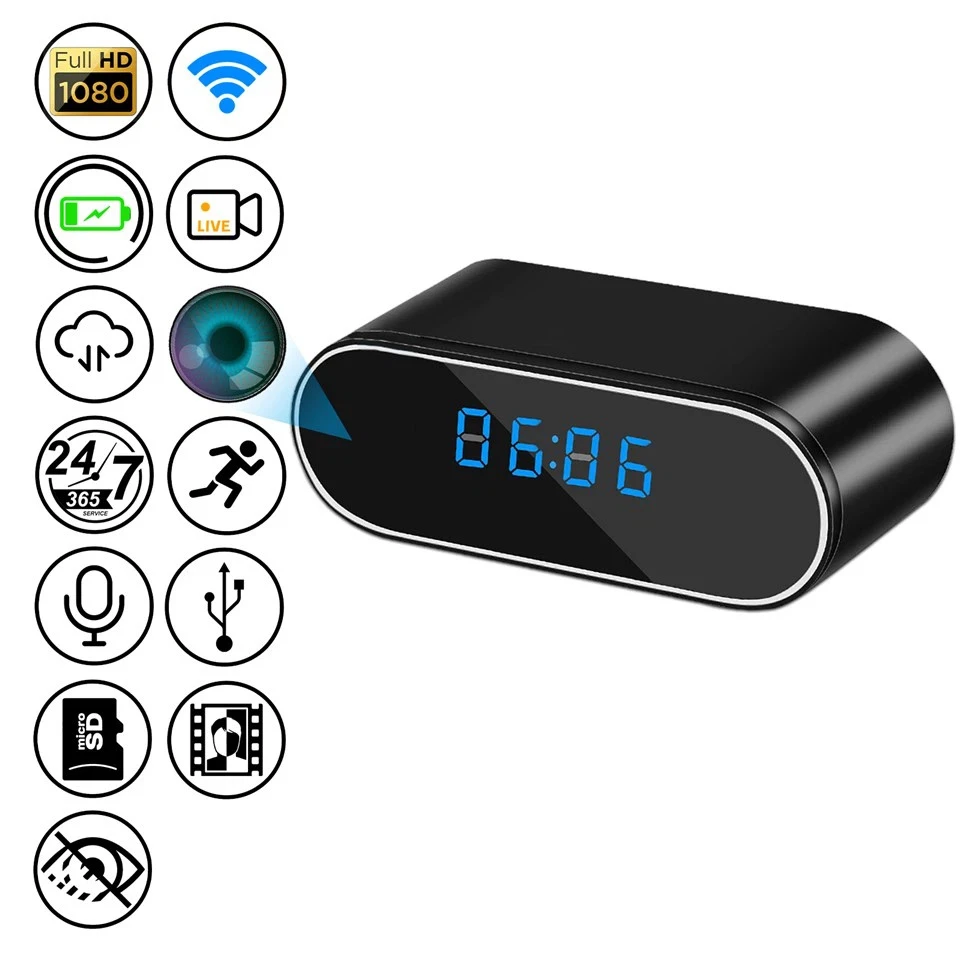
A wall outlet camera, clock camera, smoke detector style camera, pen camera, glasses camera, or watch spy camera all have different viewing angles and physical limitations. The lens opening must be small and natural. If a PIR sensor is added, its detection window must also blend into the product appearance.
If the lens is too hidden, image quality drops.
If the sensor is too exposed, the product loses its discreet design.
That balance is one of the main differences between a regular security camera and a well-designed hidden camera.
Motion Detection Should Match the Real Use Scenario
Different hidden camera applications need different motion detection logic.
A nanny cam may need stable indoor motion recording and fewer pet-related alerts. An office hidden camera may focus on a doorway, desk, cabinet, or restricted area. A battery-powered camera needs fast wake-up and efficient recording. A WiFi hidden camera needs reliable push notifications and remote viewing. A body-worn or portable hidden camera may prioritize manual control and recording stability over complex motion filtering.
One motion detection design cannot fit every product shape.
For B2B customers, this matters during OEM or ODM development. The right motion detection approach depends on device size, power supply, lens position, sensor layout, firmware logic, app function, storage method, and actual use environment.

Conclusion
Security camera motion detection works by identifying changes in video frames, PIR heat signals, or AI-recognized objects. Once the system decides the movement is meaningful, it can trigger recording, alerts, storage, or other security actions.
The quality of motion detection depends on how well the camera filters real events from background noise.
A good motion detection camera should not alert for every shadow, pet, insect, or moving branch. It should capture useful activity, reduce false alerts, avoid missed events, save storage, and fit the actual installation environment.
For hidden cameras, the challenge goes further. Motion detection must work within a smaller structure, limited battery space, discreet lens placement, and real product appearance.
Allcam develops hidden and disguised security camera solutions for brands, distributors, and project customers. If you need a custom hidden camera with suitable motion detection, WiFi function, storage design, or OEM/ODM structure, contact our team to discuss the right solution for your application.
