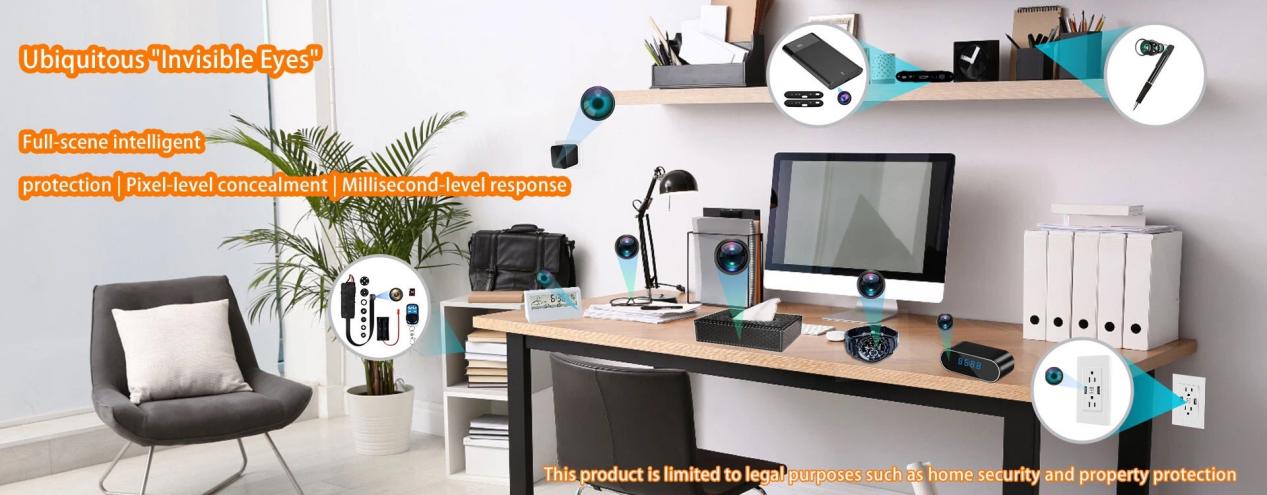
A charging cable hidden camera places a small camera module inside a cable or connector housing. A USB charger hidden camera builds the camera into a wall-plug power adapter. Both can blend into a normal charging setup, but they solve different installation problems.
Choose a charging cable camera when you need more freedom to position the lens. Choose a USB charger camera when a suitable outlet already faces the target area and stable, continuous power matters more than adjustability.

Charging Cable Camera vs USB Charger Camera: Quick Comparison
The main difference is not resolution. It is how each product is positioned and how well it keeps that position.
A charging cable hidden camera is easier to aim because the cable can be routed across a desk, shelf, or other authorized indoor area. The drawback is movement. If someone pulls, twists, or reconnects the cable, the lens can lose its original angle.
A USB charger hidden camera is fixed directly to a wall outlet. Once installed, it usually holds a more stable view. However, the outlet determines the lens height, direction, distance, and Wi-Fi conditions.
|
Comparison point |
Charging Cable Hidden Camera |
USB Charger Hidden Camera |
|
Physical design |
Camera integrated into a cable, connector, or inline housing |
Camera integrated into a wall charger housing |
|
Positioning flexibility |
High |
Low to moderate |
|
Viewing stability |
Can shift when the cable moves |
Usually stable after installation |
|
Power source |
USB power, internal battery, or both, depending on model |
Normally powered directly from the wall outlet |
|
Long-term operation |
Depends on cable connection and power design |
Usually better suited to extended operation |
|
Charging performance |
Affected by cable length, conductor size, and connector design |
Affected by internal power supply, load, and heat |
|
Best fit |
Adjustable placement in a controlled setup |
Fixed monitoring where the outlet already faces the target |
|
Main limitation |
The viewing angle can change easily |
The outlet may provide the wrong height or direction |
Wi-Fi support, local storage, 1080P recording, and 4K claims are model-specific. They are not automatic advantages of one form factor.
How the Two Hidden Camera Designs Differ
A charging cable hidden camera may place the lens near the USB connector, close to the device-side plug, or inside a small inline section of the cable. Some models use a rotating lens housing. Others rely on the cable bend to establish the viewing direction.
This structure creates useful positioning freedom, but it also introduces mechanical challenges. A camera module can make part of the cable thicker or less flexible than a standard charging lead. The connector may be larger, heavier, or harder to route naturally. Poor construction can also place stress on the internal wires.
A USB charger hidden camera combines several components in one compact housing:
- AC-to-DC power supply
- Camera sensor and lens
- Video processor
- Wi-Fi module, when included
- MicroSD card slot or internal storage
- USB charging output
The product must still look and function like a normal wall charger. That means the shell dimensions, USB port position, indicator lights, charging output, and heat level all matter.
Discretion depends on whether the device looks, feels, and works like the everyday product it imitates.
A thick cable with an oversized connector can attract attention. A wall charger with unusual vents, weak charging output, excessive heat, or a visible lens opening can do the same. Neither form factor should be described as invisible or impossible to detect.
Placement Flexibility and Viewing Angle
Viewing angle is the area captured by the lens from its installed position. It is influenced by lens field of view, mounting height, camera direction, distance, and physical obstructions.
This is where the two products differ most.
Charging Cable Cameras Offer More Positioning Freedom
A charging cable camera can be routed to a position that a fixed wall outlet cannot provide. The cable length may allow the lens to sit higher, lower, closer, or farther from the target area.
This can help when:
- The wall outlet faces the wrong direction
- Furniture blocks the outlet
- The target area is above outlet height
- The camera needs to sit near a desk, shelf, or work surface
- The user needs to fine-tune the composition
Some models also support a rotating lens section. This is more reliable than forcing the cable into a sharp bend, especially when the cable must remain connected for long periods.
The weakness is stability.
A charging cable is an object people touch. It may be unplugged, moved to charge another device, pushed behind furniture, or pulled during routine cleaning. Even a small movement can change the framing enough to miss the intended area.
A cable camera works best when its final position can remain undisturbed.
USB Charger Cameras Provide a More Stable but Fixed View
A USB charger hidden camera normally holds its angle once it is plugged into the outlet. This makes it useful for monitoring a predictable area over an extended period.
The limitation is that the outlet controls almost everything:
- Mounting height
- Horizontal direction
- Distance to the subject
- Exposure to furniture and foot traffic
- Proximity to the Wi-Fi router
Most outlets are installed relatively low on the wall. That can provide useful close-range detail around a desk, entrance, cabinet, or other limited area. It can also create blind spots above the camera or behind nearby furniture.
People, pets, chairs, curtains, and tables can block a low-mounted lens. Large open rooms are especially difficult because a fixed charger camera cannot pan, tilt, or move to a higher position.
A USB charger camera may hold its angle better, but it cannot compensate for an outlet that faces the wrong direction.
Before selecting one, plug a normal charger into the intended outlet and check what the camera would actually see from that height.

Power Supply, Charging Performance, and Long-Term Reliability
Continuous power and continuous recording are not the same thing.
A camera can remain connected to power but still stop recording because of overheating, a full storage card, unstable firmware, or a failed network connection. Reliable long-term operation depends on the complete hardware and software design.
How Each Camera Gets Power
Charging cable hidden cameras use different power architectures.
Some operate only while connected to a USB power source. Others include a small internal battery. That battery may support short standalone use or provide backup power during a brief interruption.
For this reason, battery life cannot be treated as a fixed weakness of the entire product category. A cable camera connected to stable USB power may operate for much longer than a battery-only model.
USB charger hidden cameras normally draw power directly from the wall outlet. This removes the need to recharge the camera itself and makes the product better suited to extended monitoring.
Still, four terms should not be confused:
- Battery-free operation: The device does not rely on a rechargeable battery.
- Continuous power input: The device remains connected to mains or USB power.
- Continuous recording: The firmware supports uninterrupted or segmented recording.
- Reliable 24/7 operation: The product remains stable under heat, storage, charging, and network load.
A wall-powered design makes long operation possible. It does not prove that the product can record reliably around the clock.
Can the Camera Record and Charge at the Same Time?
Both products should be tested while charging another device, not only while the USB port is idle.
For a charging cable hidden camera, real charging performance depends on:
- Conductor thickness
- Cable length
- Connector resistance
- USB protocol support
- Camera module power consumption
- Power source quality
A long or undersized cable may create voltage drop. A poorly designed connector can become warm under load. USB-C and fast-charging support should be verified with real devices rather than assumed from the connector shape.
For a USB charger hidden camera, the internal power supply must support the camera and the connected device at the same time. Recording, Wi-Fi streaming, and MicroSD writing all add load.
A product described as "5V/2A" or "5V/2.4A" should be tested while:
- Recording locally
- Streaming live video
- Charging a phone or other device
- Operating for several hours
If the output voltage drops, the camera may disconnect from Wi-Fi, restart, corrupt files, or reduce charging speed.
"Supports charging" is not the same as stable power delivery during recording.
Thermal Management Matters More Than 24/7 Claims
Heat is one of the main engineering challenges in a USB charger hidden camera. The power supply, image processor, Wi-Fi module, sensor, and storage system are concentrated inside a small housing.
Charging another device increases the thermal load.
A charging cable camera has a different heat profile. The main concerns are connector resistance, cable voltage drop, localized heating around the camera module, and mechanical wear near the reinforced section.
For either design, buyers should check:
- Housing temperature during extended recording
- Temperature while charging another device
- Automatic restart behavior
- Overcurrent and overvoltage protection
- Short-circuit protection
- Thermal protection
- File integrity after long operating periods
A reliable product should remain stable under its intended charging and recording load, not only during a short demonstration.

Video Quality, Storage, Wi-Fi, and App Performance
Marketing often focuses on resolution because it is easy to compare. Real performance depends on several connected factors.
Video Quality Is More Than Resolution
Both charging cable cameras and USB charger cameras may be sold as 720P, 1080P, or 4K products. The form factor does not determine the resolution.
A stable 1080P recording is often more useful than an unstable or heavily compressed 4K stream.
Actual image quality depends on:
- Sensor size and sensitivity
- Lens quality
- Bitrate
- Frame rate
- Exposure control
- Compression
- Lighting
- Distance from the subject
Higher resolution also increases processing, storage, and thermal demand. In a compact charger housing, that can reduce long-term stability if the processor and cooling design are not adequate.
Low-light claims also require careful evaluation. A physical IR-cut filter can improve color accuracy during the day, but it does not create night vision by itself. Night performance also depends on sensor sensitivity, lens aperture, infrared illumination, and available ambient light.
Do not assume that one form factor provides better night performance. Compare the actual camera module.
Storage and Loop Recording
Local recording usually uses internal memory or a MicroSD card. Loop recording means the camera automatically overwrites the oldest files when storage is full.
This feature should be tested, not accepted from a specification sheet alone.
A proper test should confirm:
- The camera records until the card is full
- The oldest files are overwritten automatically
- Recording continues without opening the app
- The device resumes recording after a power interruption
- Local recording continues when Wi-Fi is unavailable
- Timestamps remain correct
- Corrupted or incompatible cards trigger a clear warning
Advertised support for 64GB or 128GB does not guarantee reliable operation with every card. File system, firmware, controller design, bitrate, and card quality all affect compatibility.
For continuous recording, a high-endurance MicroSD card is usually a better choice than a card designed mainly for occasional photography.
Wi-Fi and App Reliability
Most compact hidden camera chargers use 2.4GHz Wi-Fi because it offers better range and wall penetration than 5GHz in many indoor environments.
Dual-band support can help in crowded networks, but it is not automatically necessary. A 5GHz connection may be faster at short range while performing worse through multiple walls.
The installation position matters more.
A USB charger camera cannot easily move away from a weak-signal outlet. A charging cable camera may offer more freedom to reposition the lens or power source, although cable length and room layout still impose limits.
The app also affects daily use. Buyers should evaluate:
- Connection speed
- Live-view stability
- Motion notification delay
- Password security
- Device sharing controls
- Firmware update support
- Account deletion
- Device reset and unbinding
- Local recording without cloud service
For private-label buyers, app maintenance and server continuity can affect return rates more than a small difference in advertised resolution.
Which Camera Is Better for Different Use Cases?
The best choice depends on the installation, not the product name.
Choose a Charging Cable Hidden Camera When…
A charging cable hidden camera is the better option when:
- The wall outlet does not face the intended area
- Lens height or direction must be adjusted
- The camera needs to sit closer to a desk, shelf, or work surface
- Different cable lengths are useful
- The installation may change occasionally
- The cable can remain fixed after setup
It is less suitable when the cable will be handled frequently. A charging lead used every day is likely to move, rotate, or become disconnected.
This design is strongest when positioning flexibility matters and the cable can be treated as part of a fixed installation.
Choose a USB Charger Hidden Camera When…
A USB charger hidden camera is usually the better choice when:
- A suitable outlet already faces the target area
- The intended coverage area is relatively close
- A fixed viewing angle is acceptable
- Long-term mains power is required
- Battery maintenance should be avoided
- The device can remain plugged in
It is especially useful for a controlled indoor area where a low, fixed view captures the relevant activity.
It is a poor choice when the outlet is hidden by furniture, faces sideways, sits too low, or is located far from the Wi-Fi router.
Choose a Different Camera Type When…
Neither product is ideal when the application requires:
- Outdoor weather protection
- Wide-area coverage
- Pan, tilt, or zoom
- High mounting positions
- Two-way audio
- Professional facial recognition
- PoE networking
- Centralized multi-camera management
A visible indoor security camera or professional CCTV system may provide better image quality, stronger encryption, more reliable alerts, and clearer compliance controls.
Hidden charger cameras solve a narrow installation problem. They should not replace a purpose-built security system when broader coverage or advanced functions are required.

What to Check Before Buying Either Camera
A useful comparison should end with verifiable checks, not marketing claims.
Camera and Recording Checks
Confirm:
- Actual lens direction
- Effective viewing distance
- Real frame rate and bitrate
- Motion detection sensitivity
- Local recording without Wi-Fi
- Loop recording after the card is full
- File recovery after power loss
- MicroSD card compatibility
- Time and date accuracy
Test the product in the intended room. A camera that performs well on a product page may produce a poor view from the actual outlet or cable position.
Charging and Hardware Checks
For both designs, verify:
- Charging output while recording
- Temperature during extended use
- Temperature while charging another device
- Connector strength
- Cable bend resistance
- USB-C or fast-charging compatibility
- Overcurrent protection
- Overvoltage protection
- Short-circuit protection
- Thermal shutdown behavior
A dual-function product must remain a safe, usable charging device. Camera performance should not come at the cost of unstable power delivery.
App, Privacy, and Supplier Checks
For Wi-Fi models, check:
- Whether the default password must be changed
- Whether video transmission is encrypted
- Whether cloud storage can be disabled
- Whether the microphone can be turned off
- Whether firmware receives updates
- Whether the product can be unbound from an old account
- Whether the supplier maintains the app and server
- Whether user data can be deleted
OEM and private-label buyers should also request long-duration recording tests, charging-load tests, full-card loop recording tests, and batch quality-control records.
Use either camera only where you have legal authority to monitor. Avoid bathrooms, bedrooms, changing areas, and other locations with a strong expectation of privacy. Audio recording may require consent even where silent video is allowed.
Conclusion
Choose a charging cable hidden camera when you need more control over lens position and can keep the cable from moving. Choose a USB charger hidden camera when a suitable outlet already covers the intended area and stable, long-term power is the priority.
Do not choose based on 4K claims alone. Viewing angle, charging performance, heat control, loop recording, and software reliability have a greater effect on long-term usability.
Hytech develops and manufactures charging cable cameras, USB charger cameras, and other concealed security products for OEM and private-label projects. Contact our team to discuss plug types, cable interfaces, charging specifications, packaging, firmware, and custom product requirements.
Charging Cable vs USB Charger Hidden Camera FAQs
Can a charging cable hidden camera still charge a phone?
Yes, if the cable is designed for real charging. Speed depends on conductor size, cable length, connector quality, input power, and protocol support. The charging rate should be tested while the camera is recording.
Can a USB charger hidden camera record continuously?
Many models can support extended or continuous recording because they use wall power. Reliable operation still depends on thermal design, loop recording, storage compatibility, firmware stability, and charging load.
Which type has a more stable viewing angle?
A USB charger hidden camera usually holds a more stable angle after installation. A charging cable camera is easier to reposition, but it can move when the cable is touched or reconnected.
Which type is more discreet?
Neither type is automatically more discreet. A wall charger can look natural when it matches the room and functions normally. A cable camera can blend into a desk setup when its connector size and cable thickness look realistic.
Product design and placement matter more than the category name.
Do both types work without Wi-Fi?
Some models record locally to a MicroSD card without Wi-Fi. Wi-Fi is usually required for live viewing, app control, and remote notifications. Always confirm whether local recording continues after the network disconnects.
Is it legal to use a charger hidden camera?
Legality depends on location, recording purpose, consent rules, and whether audio is captured. Use the device only in areas where you have legal authority to monitor and where people do not have a reasonable expectation of privacy. Check applicable local laws before installation.